Simplify your onchain operations: a quick-start guide

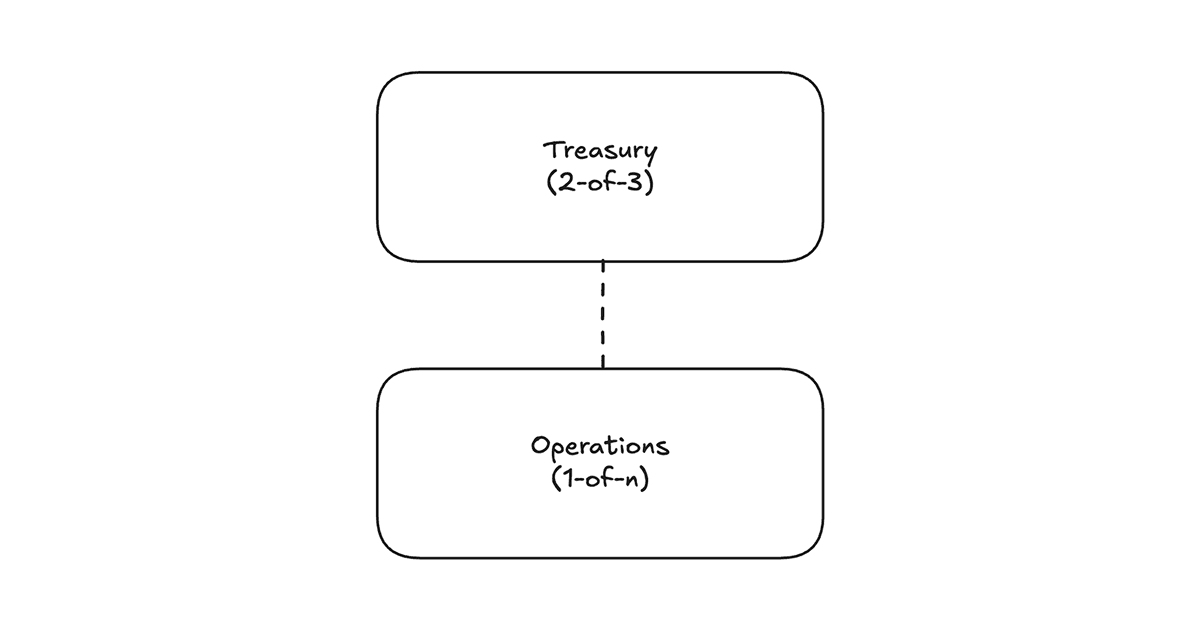
Start with two wallets: a treasury that holds your assets, and an operating wallet you spend from. Everything below builds on that: seven practices that keep your onchain operations simple and your monthly close a couple of clicks away.
- Create a fresh wallet for every company function
- Sweep revenue into stables automatically
- Onboard contractors for simple EOY filings
- Add memos at the time of transaction
- Add custom metadata to transactions
- Add your accountant
- Download your reports
Create a fresh wallet for every company function
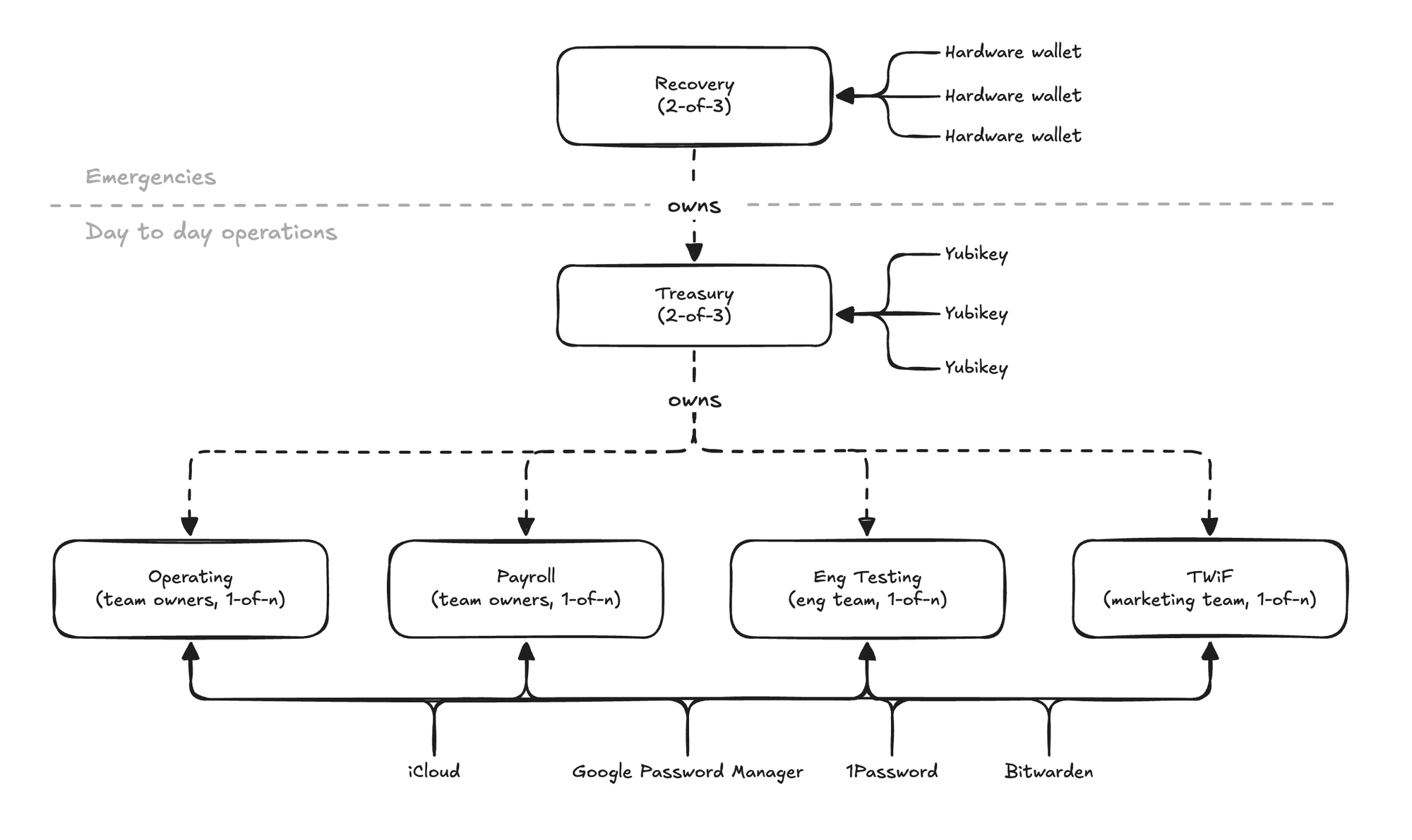
Your treasury can hold any number of wallets nested under it (these are called accounts inside the app). Each has a universal address to receive funds on any EVM chain, and each can have its own unique set of signers.
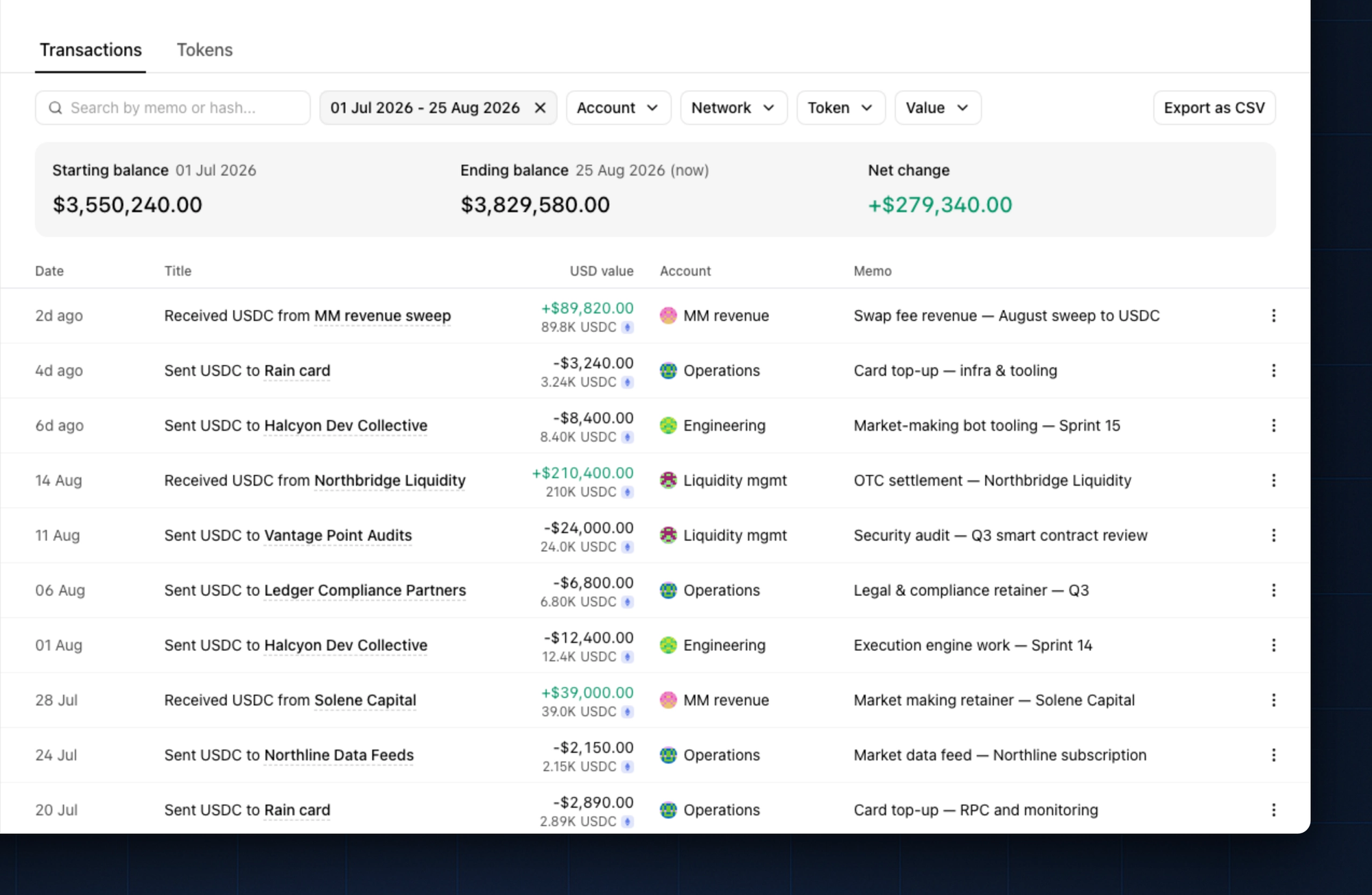
Start with a wallet for treasury and a wallet for operating. As your team grows and your business becomes profitable, it's common to add fresh wallets like Engineering, Marketing, Operations, Revenue, or Liquidity Management. When money lives where it belongs, your statements come pre-sorted.
Below is a diagram of how our onchain workspace has grown:
Sweep revenue into stables automatically
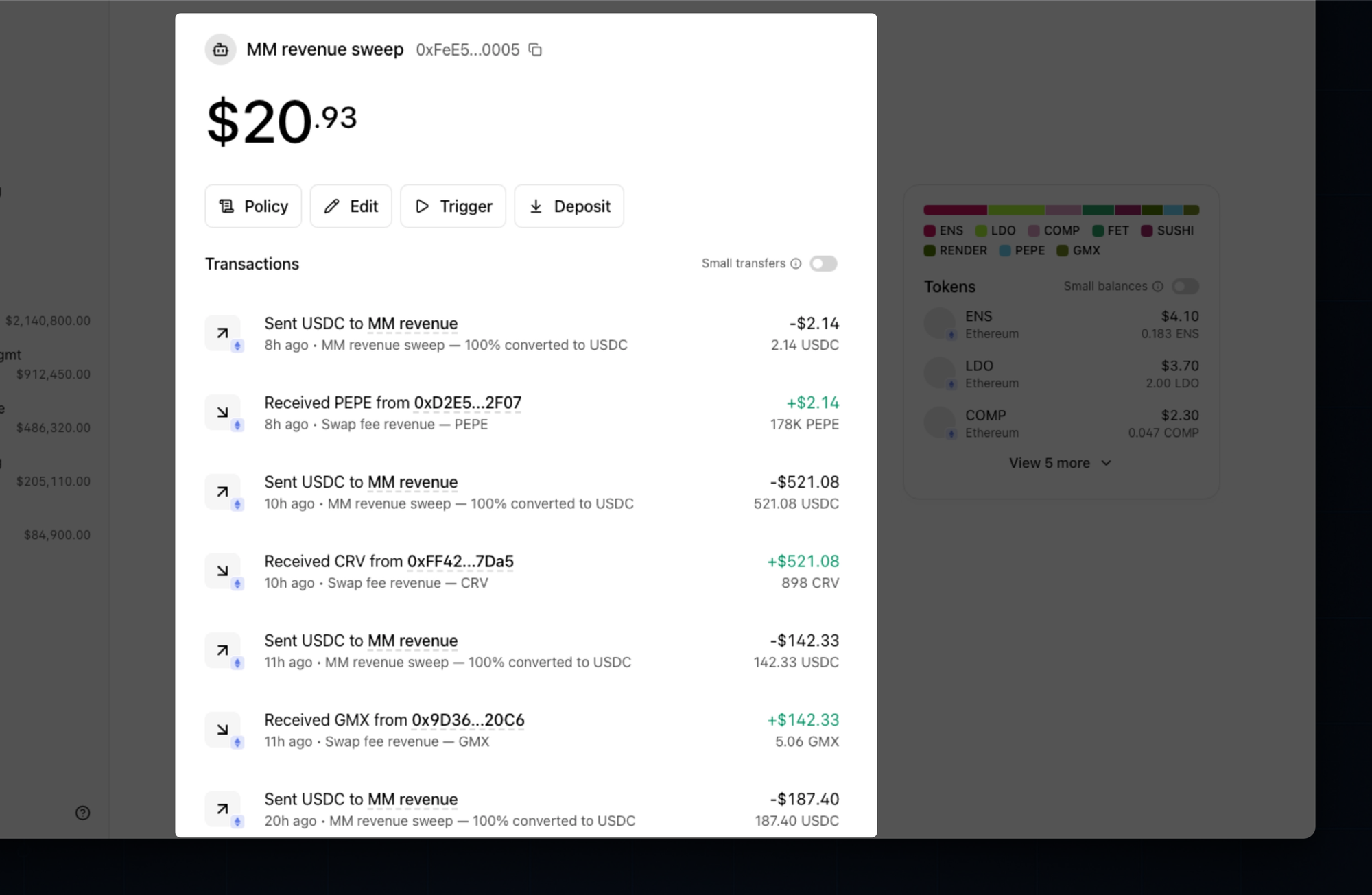
Many onchain companies book revenue in tokens that aren't stablecoins. That means your income fluctuates in value day to day while your tax liabilities stay denominated in dollars. This is a recipe for disaster at tax time, and a mess for the monthly close.
For any revenue that isn't in stables, we recommend Automations: swap-and-sweep wallets that convert incoming tokens to stables before the money ever hits your operating balance. Any token can be deposited into an Automation, where it's automatically swapped (and even bridged) on receipt. Set aside a portion for taxes and never carry your liabilities in a volatile asset.
Read more about handling long-tail tokens revenue.
Onboard contractors for simple EOY filings
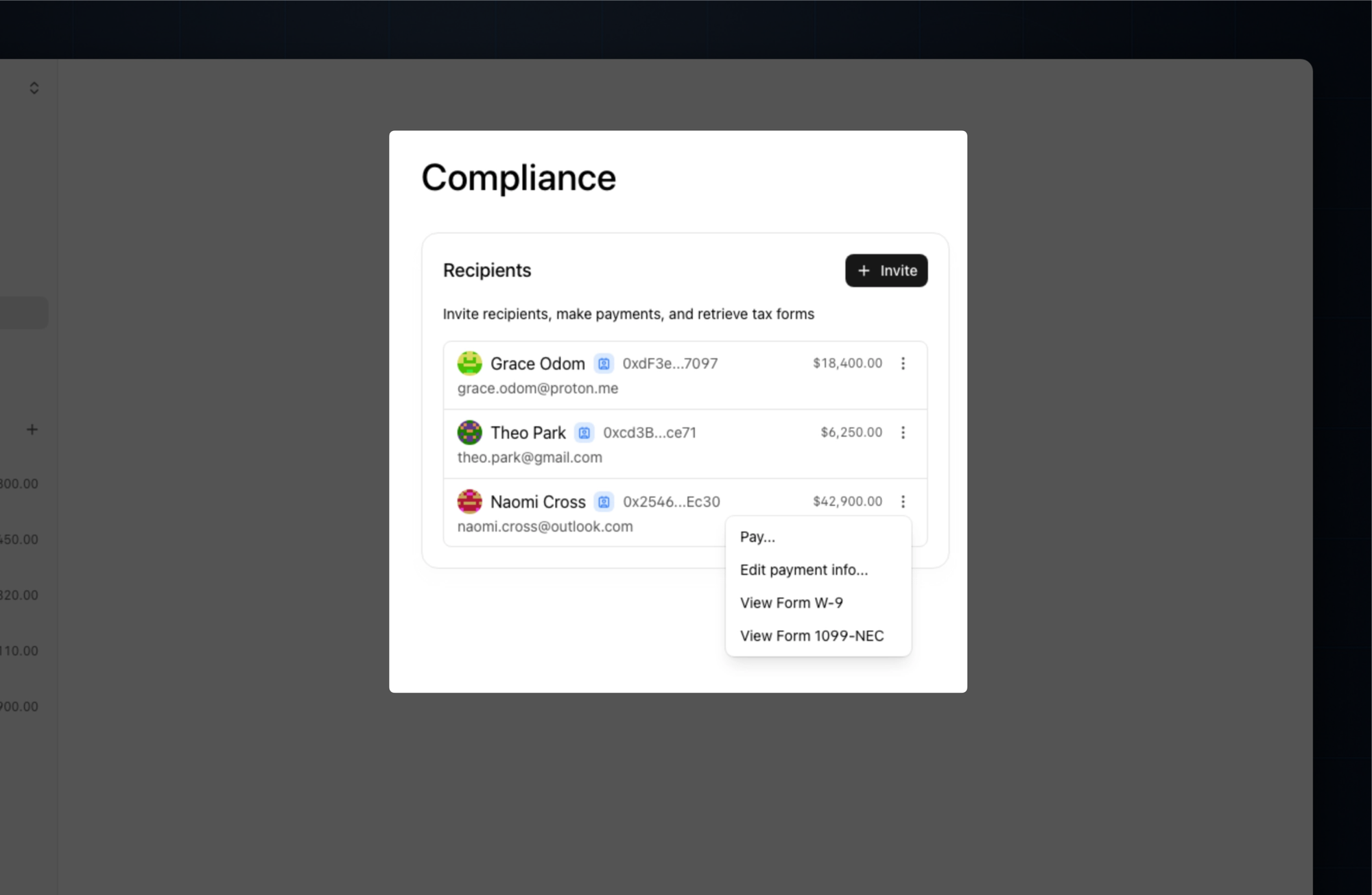
KYC, KYB, W-9s, and 1099s are table stakes for US entities and a poor use of founder time. When you onboard a contractor, we handle KYC/KYB, collect their tax information, and keep US tax forms updated as you pay, so forms are a quick export at the end of the year.
Add memos at the time of transaction
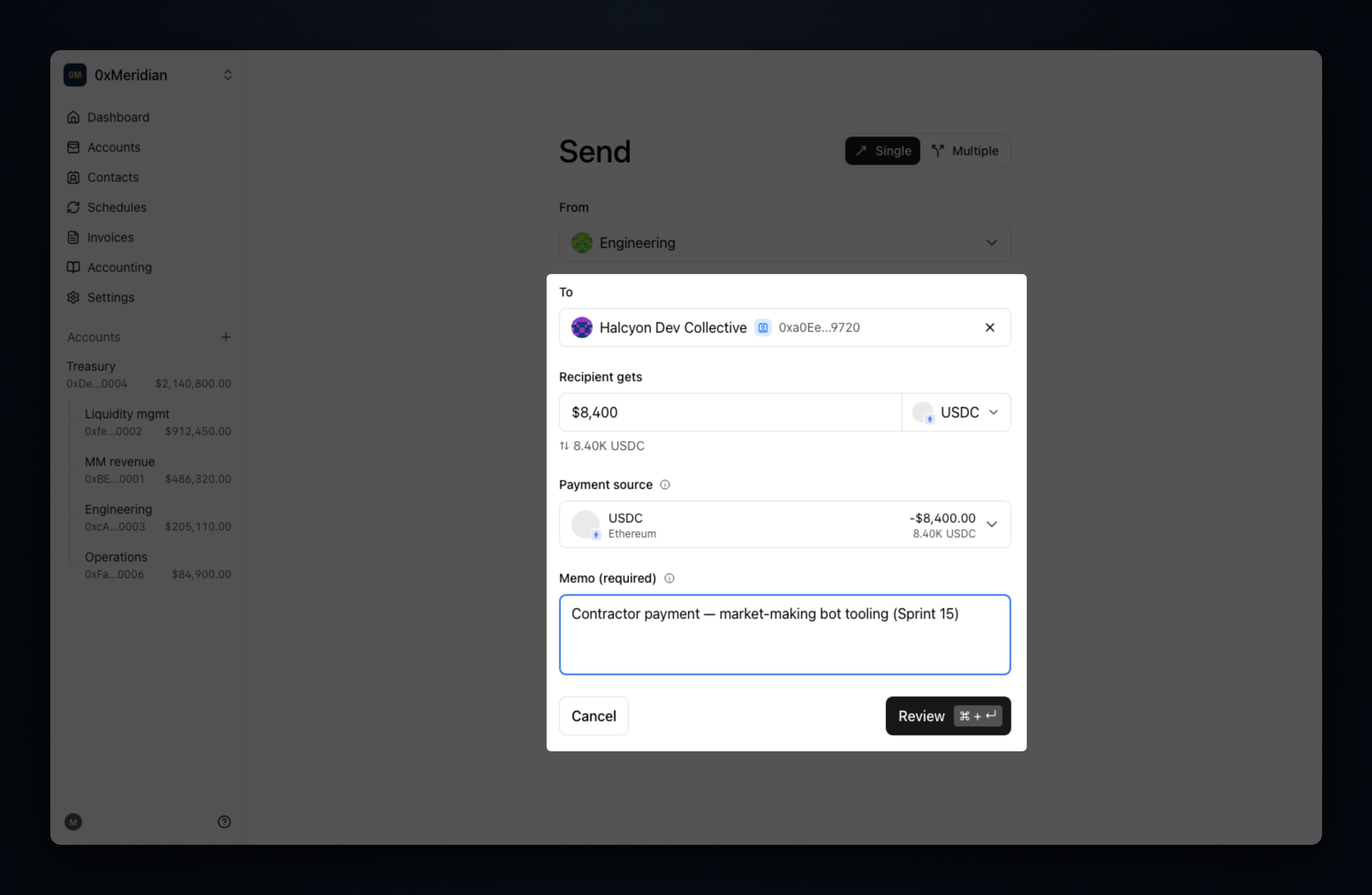
You can save an offchain memo for every transaction in Splits. Teams use this to capture the purpose of the transaction at the moment of its creation.
For any wallet with multiple team members, we recommend requiring memos on all transactions. It's a small speed bump for your team that saves you (and your accountants) hours later.
Add custom metadata to transactions
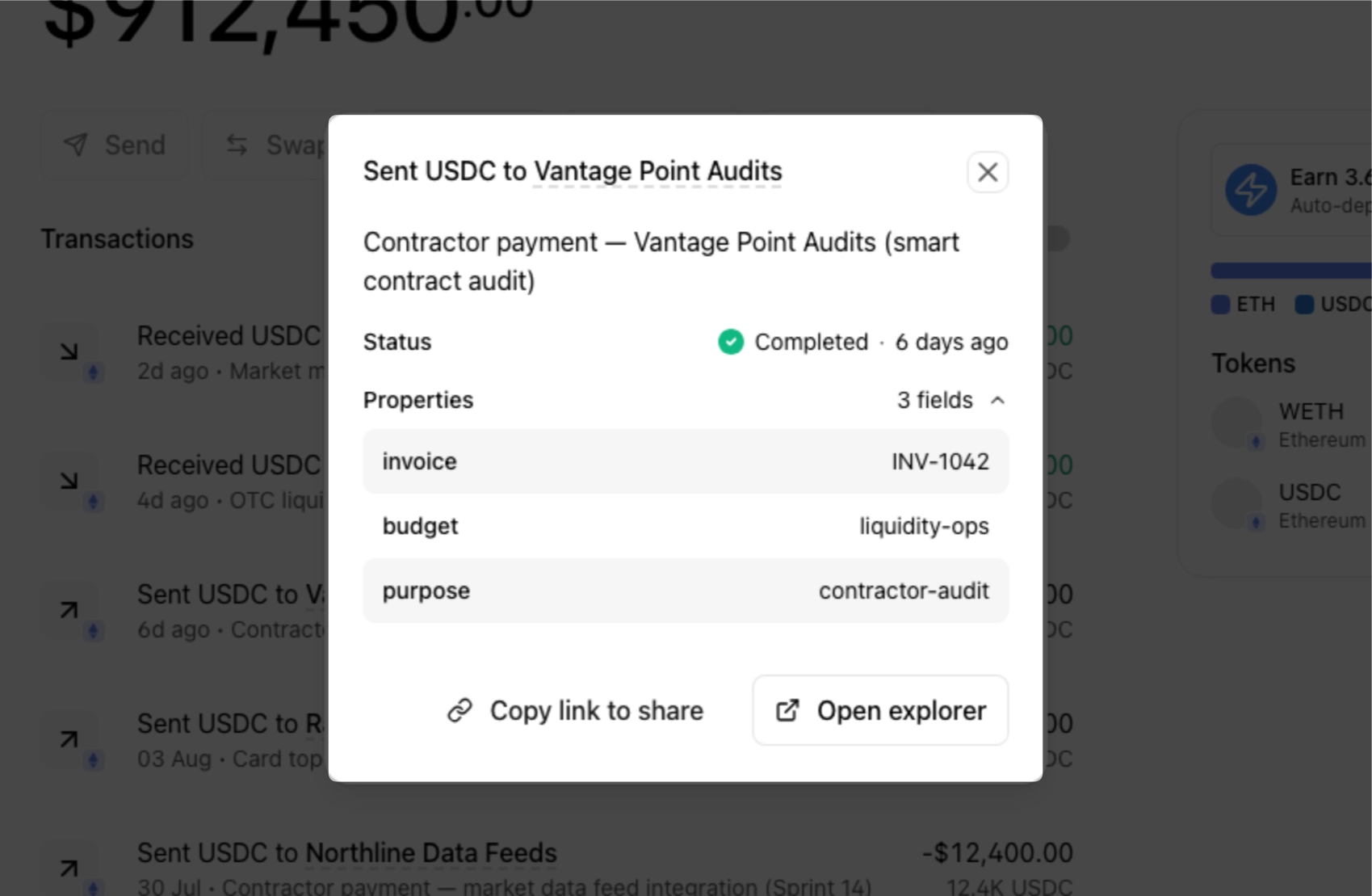
When you’re operating at scale, you can attach structured metadata to any transaction through the CLI. Examples include invoice references, budget codes, and payment purpose. Structured tags beat memos when your accountants (and their agents) are reconciling hundreds of transactions.
Add your accountant
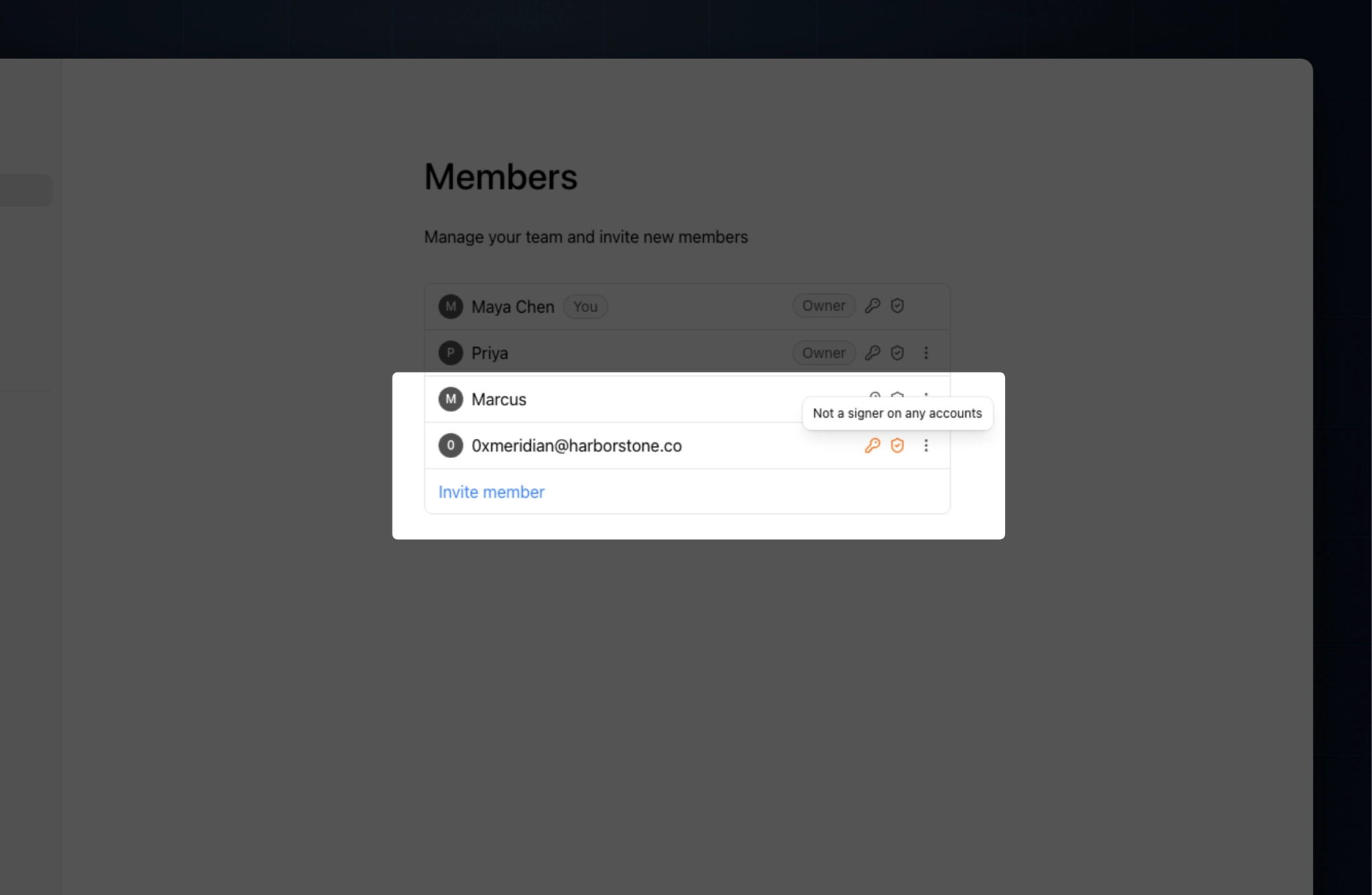
Add your accountant to your workspace as a read-only member. They sign in with an email address, check onchain transactions at the source, and download reports without getting access to the funds themselves.
It works like the accountant roles you may know from other payment platforms.
Download your reports
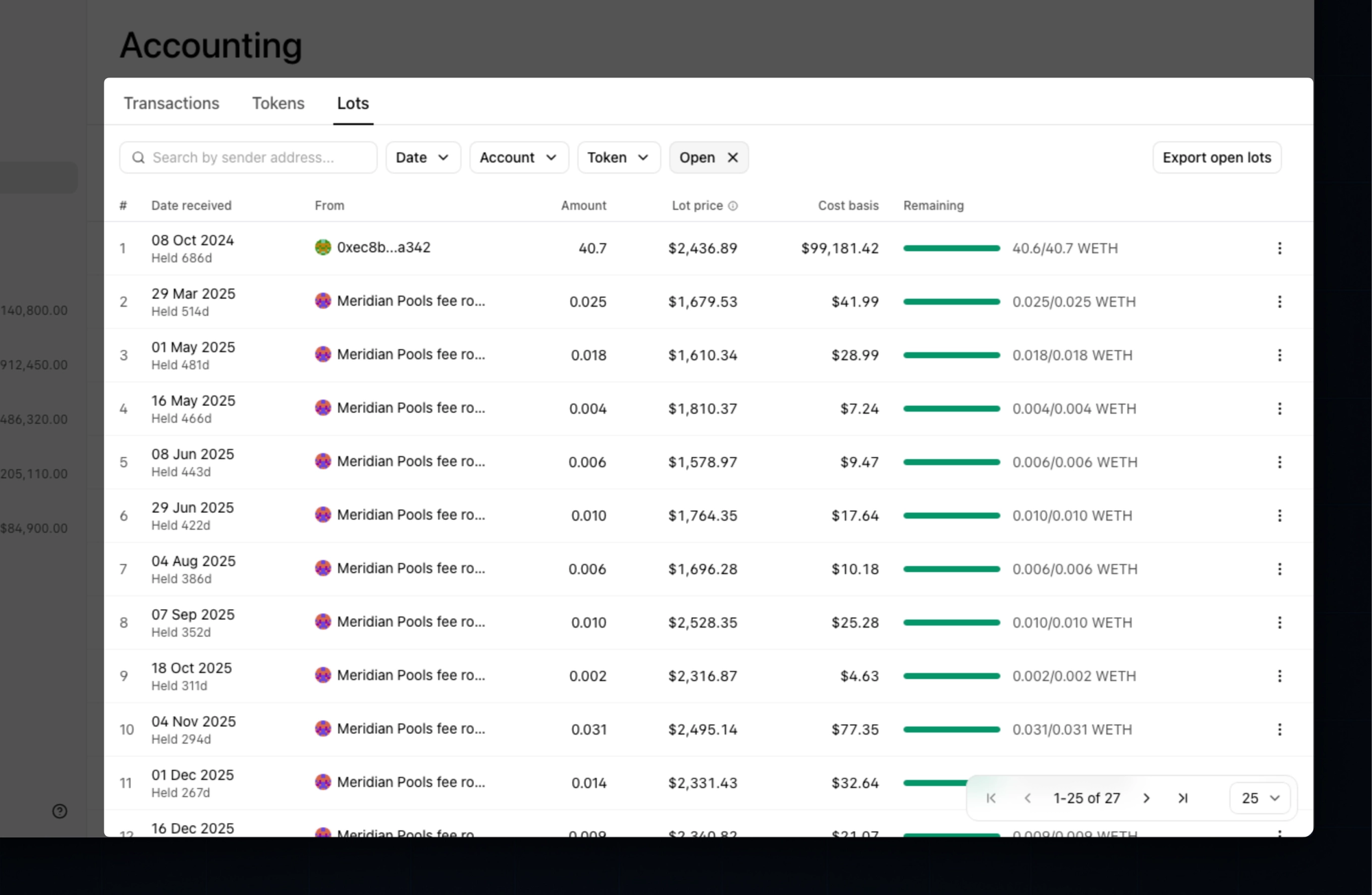
Most wallets require you to purchase a subscription to a subledger (like Integral or Breezing). This is unnecessary in Splits. We track the cost basis for every token you receive and produce open lots and transaction reports for free.
The short read
Clean books come from clean operations. Every step above is the same idea applied to a different part of the business: decide where money lives and what it’s for at the moment it moves, not months later at close.
- Categorize by structure. One wallet per function so statements are pre-sorted.
- Swap at receipt, not at tax time. Revenue swapped to stables at receipt never becomes a cost-basis problem.
- Memos, tags, and categorization cost seconds now and save hours later.
- Automate onchain paperwork and reporting.
- Give your accountant read-only access to onchain finances.
None of this takes more than an hour to set up, and once it’s in place your monthly close is typically one to two clicks away.
We aren’t accountants, and none of this is tax advice. It’s how we run our own onchain operations and what we see working across teams on Splits. Share your plan with your accountant before you commit to it, and make sure they have everything they need to close your books every month.
We’re actively developing our suite of accounting tools: if your accountant has a list of things they wish existed, send them our way.